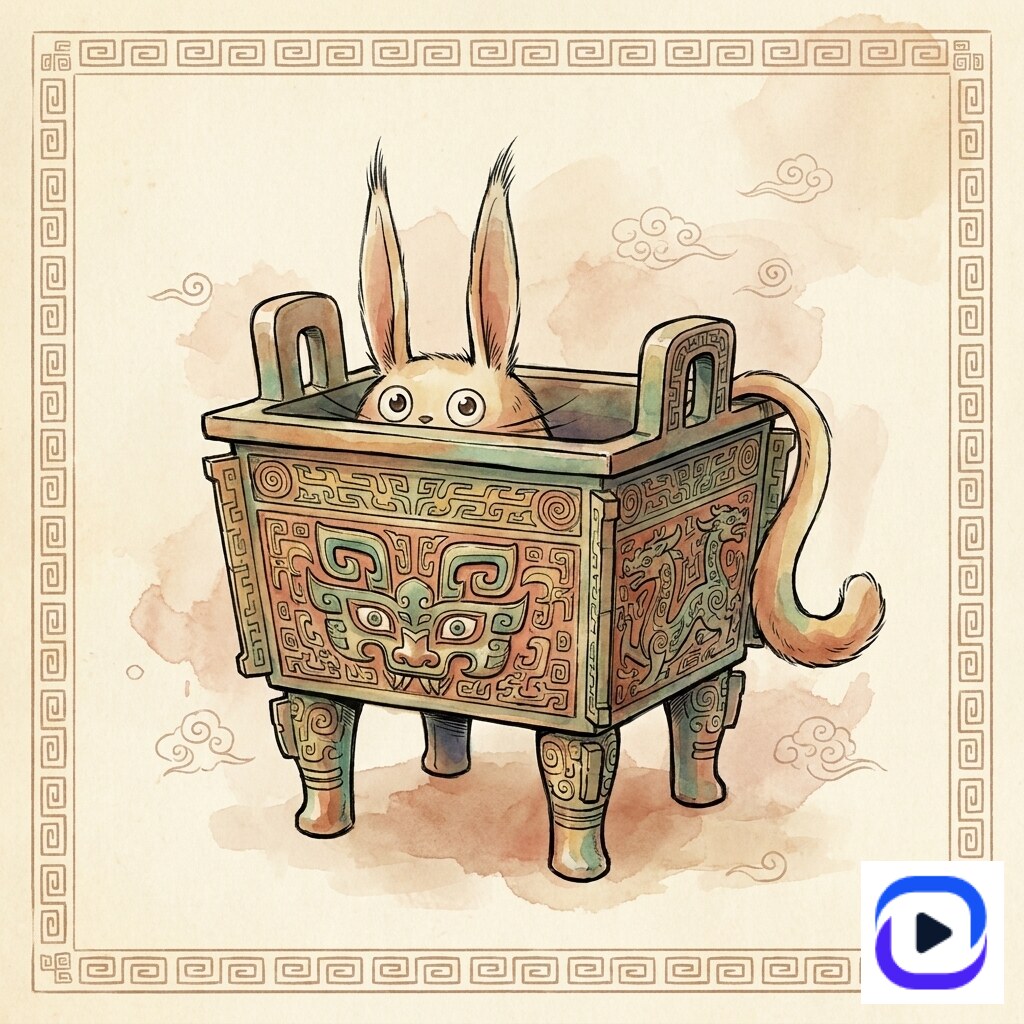
AI Sticker Design Guide: From Mascot to Mockup in 10 Minutes
Sticker design used to mean three hours in Illustrator: hand-drawing the character, vectorizing the outline, prepping the contour-cut path, exporting at 300 DPI. AI prompt templates collapse that to **under 10 minutes** for the design step — the time you save goes into picking which design to print. The demand is real. *Sticker design* gets 2,400 searches per month; *die-cut sticker* gets 8,100. Etsy alone hosts 8M+ sticker listings. The bottleneck for most operators isn't design taste — it's the **velocity wall**: holding a brand-coherent style across 50 SKUs while iterating each one. AI templates collapse that wall. This guide walks the four sticker patterns that ship cleanly through AI: mascot single-cut, multi-character emoji sheet, photo-overlay doodle, and team/country sticker.
What "AI sticker design" actually means (and what it doesn't)
AI sticker design = a prompt template renders a sticker-shaped image (transparent background, bold outline, print-ready resolution) from a short text input. The template encodes the sticker grammar — outline weight, edge halo, color saturation, composition padding — so the operator only specifies the subject.
What it is not: a full sticker-production pipeline. AI gives you the artwork; production (vinyl die-cutting, kiss-cut sheet layout, lamination) still happens at Gelato, Sticker Mule, StickerYou, or your own machine. The AI step replaces the designer hours, not the printer's job.
The four sticker patterns that work well through AI templates today: (1) mascot single-cut, (2) multi-character emoji sheet, (3) photo-overlay doodle, (4) team / country / IP sticker. Each maps to a Curify template family with 3-11 working examples.
Four AI sticker patterns that ship cleanly
Pattern 1: Mascot single-cut (the Etsy bestseller shape)
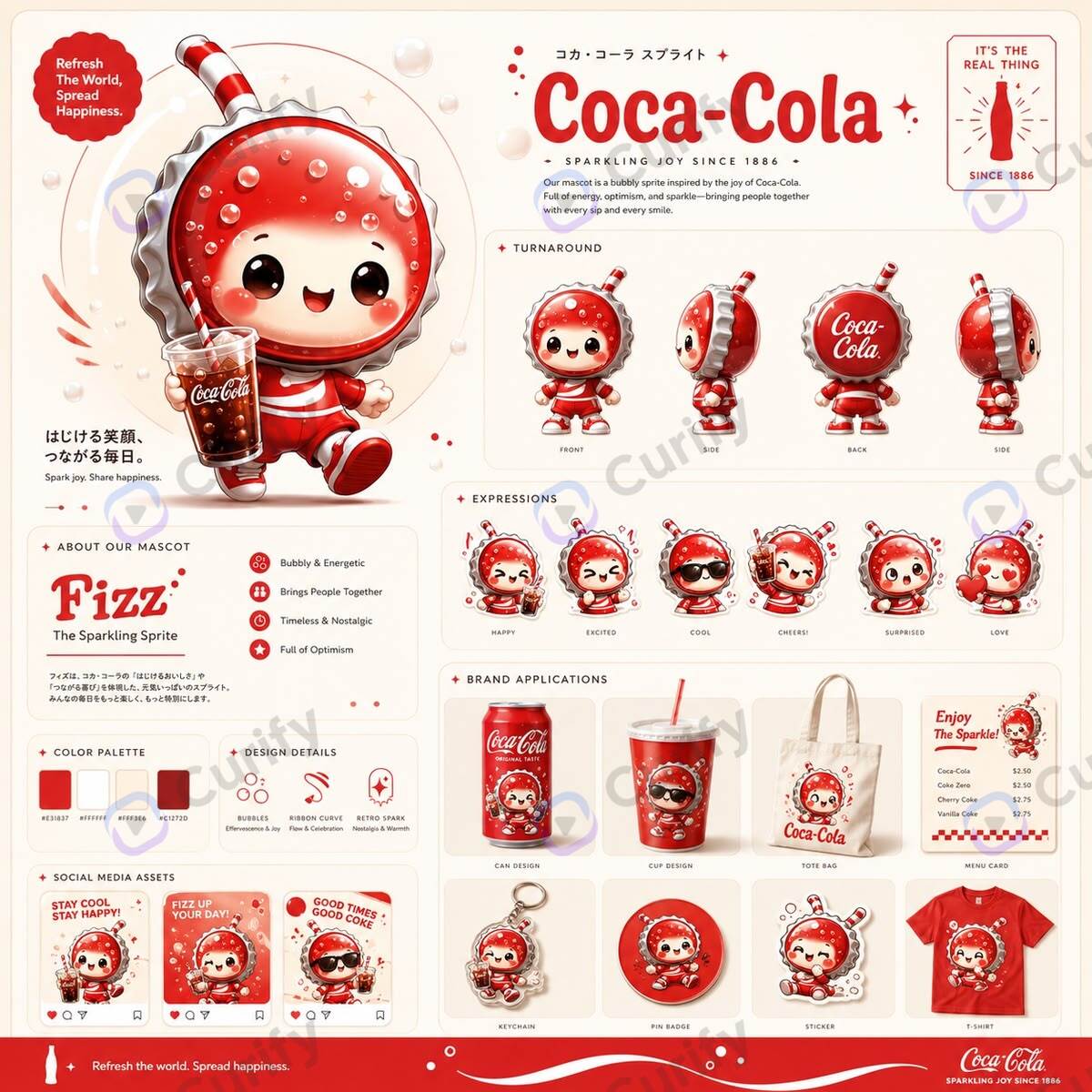
The mascot single-cut is the canonical Etsy sticker shape: one character, bold outline, transparent background, ready to die-cut at any size from 2" up to 6". Works because the outline doubles as the contour-cut path — no manual path-drawing required.
The Curify mascot template generates a 4-pose board AND a single-cut hero. The 4-pose board is the design step; the single-cut hero is the SKU.
Open the Mascot Design Board template →
Why this maps to die-cut: every pose is rendered with the same outline weight and edge color, so the silhouette doubles as the contour-cut path on the production side. No manual path-drawing in Illustrator.
Pattern 2: Multi-character emoji sticker sheet (the kiss-cut pack)
A sticker sheet is 9-12 mini-stickers on one A4 / 6×4 inch sheet, each individually kiss-cut so the buyer peels them off. Highest margin sticker product on Etsy — the operator gets to charge $4-8 per sheet rather than $2-3 per single.
The AI shortcut: one prompt renders an entire sheet around a single character IP, with 9-12 expressions / poses already laid out in grid. The buyer perceives variety; the operator pays one design cost.
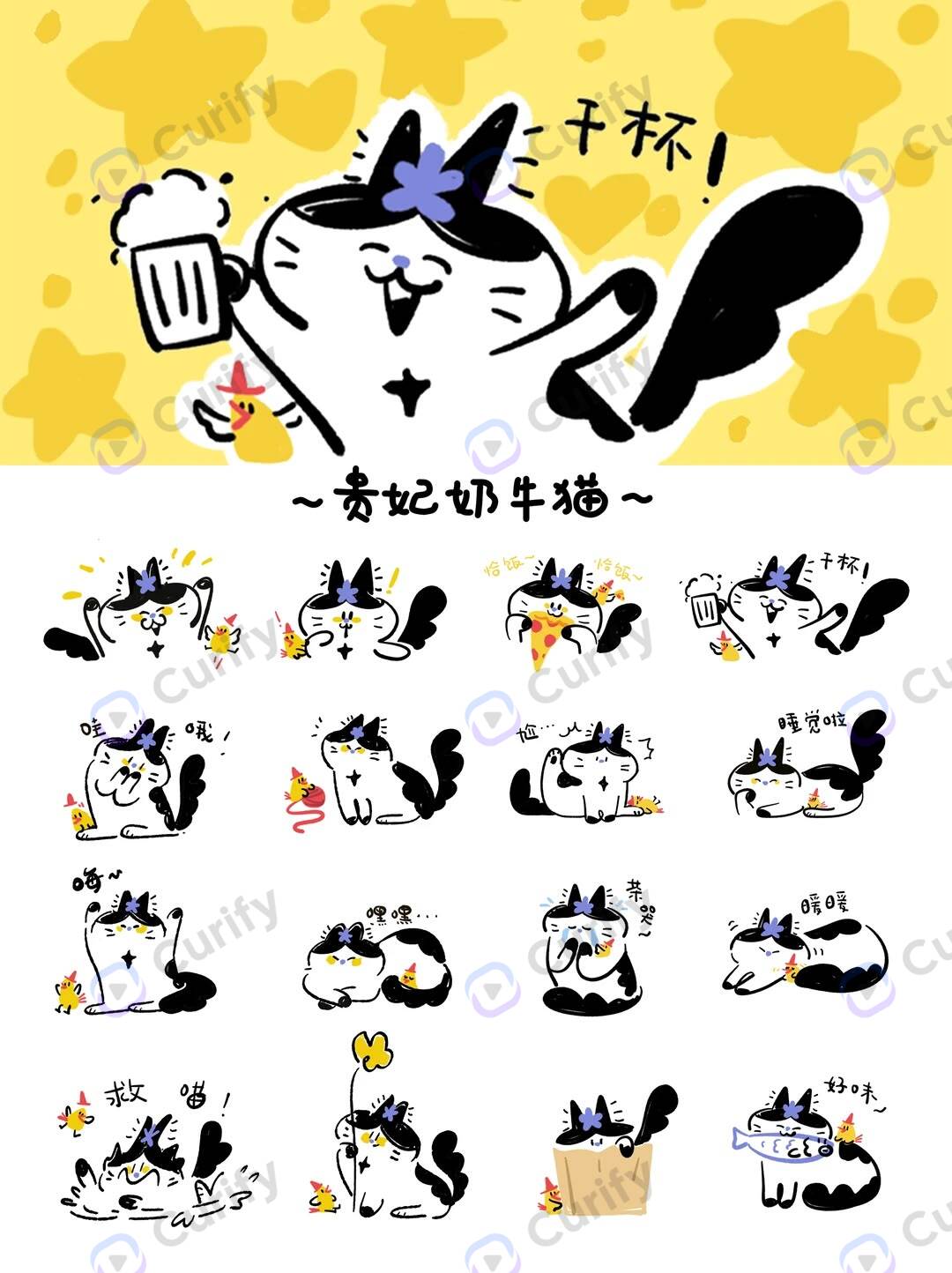
Open the Emoji Sticker Sheet template →
IP angle: this is also the most copyright-defensible shape. A 12-pose sheet with consistent character design + custom poses reads as original IP, not derivative artwork.
Pattern 3: Photo-overlay doodle stickers (the cafe / food vertical)
Photo-overlay stickers fuse a real photographed scene with hand-drawn doodle stickers placed on top. Big in the food / cafe / lifestyle vertical — Instagram-friendly, frame-able, doesn't read as AI-generated because the photo IS real.
The pattern: cafe scene with coffee + pasta in the photo, then 8-12 doodle stickers (cup, fork, steam swirls, croissant, latte heart) layered on top in a hand-drawn line-art style.
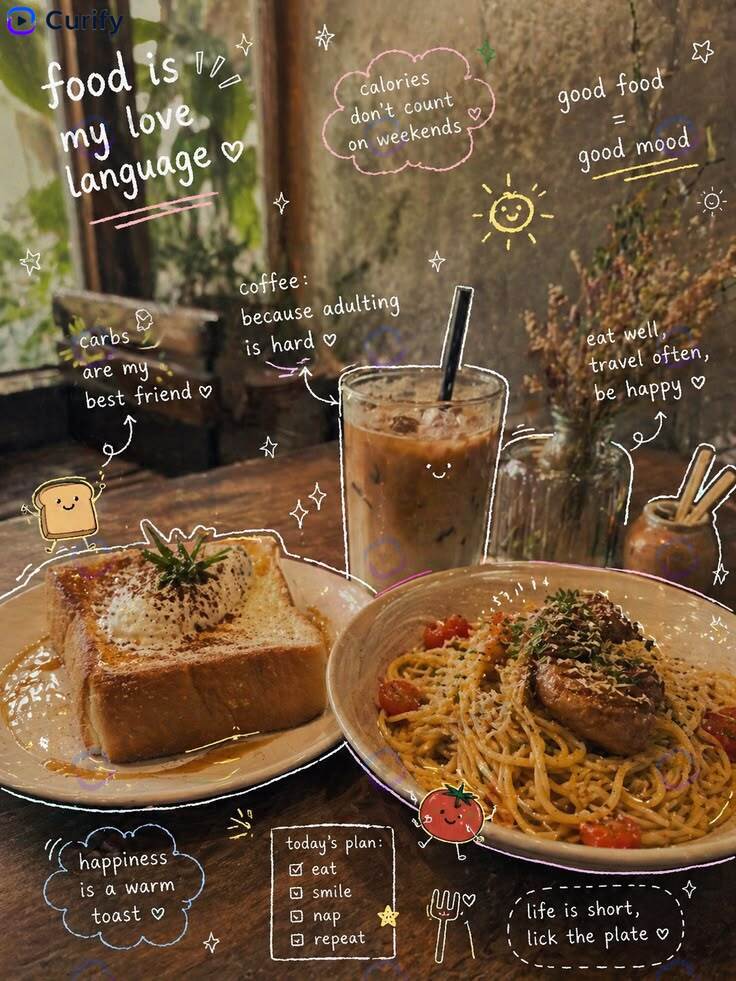
Open the Food Photo Doodle Overlay template →
Goes well as a printed wall poster too (12×18 inches) — same artwork, different SKU.
Pattern 4: Team / country / IP sticker (the seasonal SKU)
Country and team stickers are the SEO/seasonal-event SKU. World Cup year, every team gets a sticker. Olympics year, every country flag gets a sticker. Big franchise launch, every character gets a sticker. The buyer cohort is huge but seasonal.
The template encodes country / team identity: crest, flag accent, mascot-style face icon, distinctive color palette.
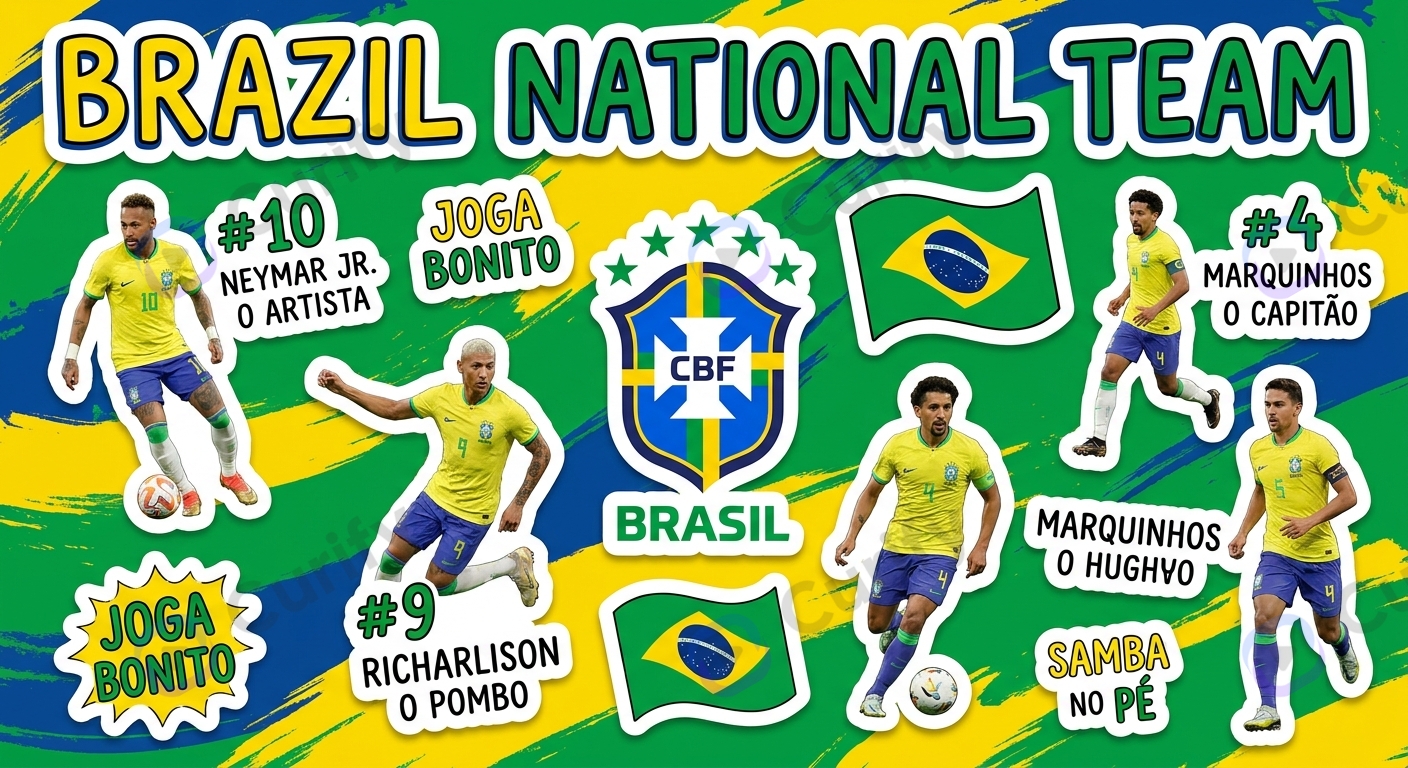
Open the WC Team Sticker template →
This is also the easiest pattern to batch-produce: same template, 32 country parameter swaps = 32 SKUs in 30 minutes of render time.
Sticker-design prompt phrases that move the dial
Style vocabulary that produces print-ready output: *"bold outline, 4pt stroke weight"* (controls contour-cut readability), *"transparent background"* (essential — many models default to white background), *"chibi proportions"* (head-to-body ratio that reads as sticker, not portrait), *"flat color blocking with subtle shading"* (avoids photoreal gradient that breaks die-cut), *"single hero pose"* vs *"sticker sheet with 9 poses in a 3×3 grid"* (chooses single-cut vs kiss-cut sheet).
Pitfalls to avoid: prompts like *"cute sticker"* are too vague; the model produces a generic illustration without sticker grammar. Always specify outline + background + composition. Models also tend toward photoreal at full size — sticker rendering needs flat color blocking, so add *"flat 2D vector illustration style"* or *"vinyl sticker print finish"*.
Production handoff cue: ask for *"300 DPI, square 1:1 aspect ratio at minimum 2048px"* so the output is print-ready to Gelato / Sticker Mule / StickerYou without manual upscaling.
Where AI sticker design still needs a human
Copyright is your responsibility. Generating "Snoopy sticker" or "Hello Kitty mascot" through AI is a fast track to a takedown. The mascot template works because it generates an *original* character (Curify Curi, Empress Cow Cat) — you specify the brand inspiration, the template generates a derivative-original. Don't ship copies of trademarked IP.
Edge / contour cleanup. AI rarely renders a perfect contour-cut path on the first generation. Plan for 30 seconds in Illustrator (or the printer's auto-trace) to clean the outline before sending to die-cut. Sticker Mule and StickerYou both auto-trace; Gelato requires a path.
Color shift in print. A sticker that reads as bright cyan on-screen ships at desaturated turquoise when printed on white vinyl. Order a $5 sample print before committing to a 500-unit run. Adjust by pulling saturation up 10-15% if the print shifts cool.
Sticker sheet layout density. AI templates can generate 9-12 mini-stickers on one sheet, but the spacing between them needs ~5mm gutter for kiss-cut machines to track cleanly. Most templates already enforce this; double-check before sending to the printer.
AI tools compared for sticker design
Curify — template-based; ships sticker grammar baked into 4 template families (mascot board, emoji sheet, photo doodle overlay, team sticker). Best for operators iterating across 10-100 SKUs in a consistent style.
MidJourney / DALL·E / Stable Diffusion (raw prompting) — produces individual sticker artwork well but lacks template structure. Best for one-off designs where the operator already has a brand style in mind and writes their own prompts.
Sticker-specific AI tools (StickerBaker, Sticker.ly AI) — fast and consumer-friendly but limited to single-cut single-sticker output; no sticker sheet or photo-overlay support.
Photoshop + AI plugin (Adobe Firefly inside Photoshop) — best when the operator has a vector workflow already and uses AI for generation, manual contour-cut prep in Illustrator.
For a typical Etsy sticker shop scaling past 50 SKUs, the operator question is rarely about per-sticker quality — it's about *style coherence across the catalog*. That's where the template approach wins over raw prompting: the same template parameterized 50 different ways looks like one brand.
Two paths for sticker operators
Path A — DIY with Curify templates. Solo Etsy sellers, fan-account operators, kid-brand designers. Use the 4 sticker template families directly, pick the right pattern (single-cut / kiss-cut sheet / photo overlay / team), ship to your printer. Curify handles design grammar; you handle production + listing + marketing.
Path B — Operator licensing for 100+ SKU catalogs. Larger sticker shops, POD operators, agencies producing client sticker lines. Curify's template engine is licensable as API + custom-template authoring. Best fit if you're hitting the *SKU velocity wall* — you've validated the design but can't scale brand-coherent output past 50 SKUs without losing style consistency.
The deeper play here connects to the merchandise vertical: stickers are the highest-velocity entry SKU. Get the sticker workflow right and the same templates extend to pins, magnets, patches, and acrylic stands. See /use-cases/for-merch-operators for the operator-side positioning, and the Die-Cut Sticker production guide for production-specific specs (DPI, white border, contour path).
Ship your first 10 stickers this week
Pick one of the four patterns above and run the template on 10 subjects (10 mascots, 10 emoji sheets, or 32 country stickers). The time investment is 30-90 minutes from prompt to print-ready file. Most Etsy sellers see their first sale within 14 days of listing.
For the production-side handoff (DPI specs, contour path, white border, factory choice), see the sibling guide on die-cut stickers below.
Reach out via /contact for sticker-operator licensing.
Popular Template Examples
Explore our most popular Nano Banana prompt templates to see what's possible:
Take the next step
Putting what you read into practice.
Related Articles
AI Strategy
Die-Cut Sticker Design: The AI + Production Workflow for Etsy + POD Sellers
Designer Toy IP Merchandise Design: The 2026 AI Production Workflow